
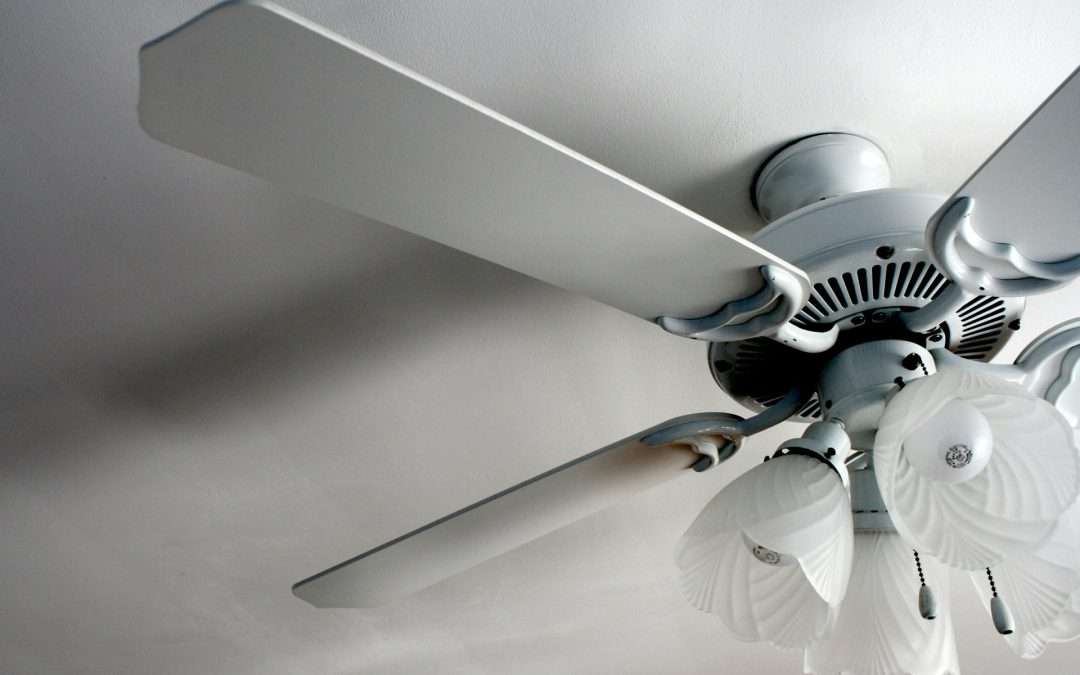
A remote-controlled ceiling fan is one of those small upgrades that makes a big difference in everyday comfort. With just the push of a button, you can adjust speed settings, turn lights on or off, and stay cool without even getting up. When everything’s working smoothly, it feels effortless. But when things go wrong, it can quickly turn into a frustrating hassle.
Whether your fan stops responding, starts running at one speed only, or makes strange noises, it’s easy to be left wondering what went wrong. These issues are more common than you might expect, especially now that ceiling fans include more features and components than ever before. This article walks through the most frequent remote-controlled ceiling fan problems and how to troubleshoot them, so you’ll know when to try a fix and when to reach out to a professional.
Common Problems With Remote-Controlled Ceiling Fans
Having a ceiling fan that doesn’t behave the way it should is frustrating. Understanding the kinds of issues that tend to happen first helps cut down on the guesswork. Most problems fall into a few common categories:
1. The remote doesn’t respond at all.
2. The fan won’t turn on or off.
3. Speed settings don’t work properly.
4. The fan makes unusual sounds while running.
If the fan doesn’t respond to the remote at all, it could be a weak battery or something deeper, like a bad receiver. When the fan won’t power on or off, the issue might be with the power source or an internal wiring connection.
Fans that only run at one speed, or don’t keep the speed you choose, could have a faulty signal between the remote and the receiver or a problem inside the fan’s controls. This might involve a broken capacitor or issues with the control board.
And then there are the strange noises. A healthy ceiling fan should hum softly or run nearly silent. Clicking, grinding, or buzzing sounds can mean loose parts, motor issues, or imbalance in the blades.
Pinpointing which of these categories your fan problem falls into is the first step toward fixing it.
Preliminary Checks And Solutions
Before calling for help or pulling out your toolbox, it’s a good idea to try a few basic checks first. These simple steps can fix many common problems without needing detailed work.
– Check the batteries
This might sound obvious, but old batteries are often the reason remotes stop working. Swap them out for fresh ones and look for any sign of corrosion.
– Look over the remote
Examine the buttons and casing. If a button is stuck in, or the casing cracked, it could stop the remote from sending signals properly.
– Try resetting the fan and remote
Many modern fans have reset or pairing buttons. Follow the manufacturer’s instructions to re-sync your remote with the fan. This can often fix connectivity issues.
– Check the power supply
Flip off and on the wall switch if your fan is connected through one. Then check your breaker panel to see if the circuit has tripped. If the fan isn’t getting any power, no amount of remote fiddling will help.
– Inspect the fan’s physical connection
Especially if it was recently installed or bumped, wires or mounting pieces may have shifted. Check that the canopy and mounting bracket are secure.
– Scan for nearby interference
Nearby devices like Wi-Fi routers, baby monitors, or even smart TVs can interfere with remote signals. If your fan works sometimes but not others, interference could be the cause.
If none of these steps bring your fan back to life, or it keeps acting up after working for a short time, it’s probably time to look deeper.
In-Depth Troubleshooting Methods
When the simple stuff doesn’t fix it, there may be more going on beneath the surface. Many bigger issues with ceiling fans come from wiring faults or bad internal components like the receiver unit.
Start by looking at the wiring, but only after turning the power off at the breaker. Take down the fan canopy, where the wires are housed, and look closely. All wire connections should be tucked neatly under wire nuts with no exposed copper or fraying. A loose or disconnected wire here can cause irregular fan behavior or complete failure.
Next, consider the fan’s receiver. Most receivers are tucked into the canopy or just above the motor, and they’re responsible for picking up signals from the remote. If it’s not responding, even with new batteries and a reset, the receiver might be bad. If you’ve got another fan of the same model that works, swapping parts can confirm it, but this isn’t easy without backup equipment. This sort of fix is better left to a professional.
Now take a look at controls outside the fan, such as wall switches. If your fan uses a remote and a wall switch together, a poor connection or faulty wiring behind the switch could cause problems. One customer kept experiencing their fan turning off randomly. We diagnosed a loose neutral wire behind the wall plate that was sending weak power to the fan, which caused it to restart itself.
At this point, if the issue isn’t obvious and you’re still stuck, deeper troubleshooting isn’t safe or practical for the average homeowner. That’s when bringing in licensed help is the right call.
When To Bring In A Professional
If you’ve worked through all the simple checks and something still isn’t right, it’s a smart move to call in a licensed electrician. Working with ceiling fixtures, especially when wiring is involved, carries risks of shock or fire if handled incorrectly.
You definitely want to seek professional help if:
– Your fan no longer works after a recent installation.
– It’s getting power, but no components respond.
– The remote changes only some functions, like light but not fan speed.
– You spot melted wiring or smell burning during use.
– A blade is imbalanced and causing the whole unit to wobble.
– The receiver appears damaged or exposed.
Electricians can go beyond basic fixes to check code compliance and overall safety. They’ll also spot things like outdated electrical boxes or signs of damage that might be missed by a quick glance.
Thinking about future performance and peace of mind? Having an expert perform any electrical installations related to fan wiring can prevent long-term issues or accidents.
Best Practices For Ongoing Fan Maintenance
Once your fan is back in good condition, the goal is to keep it that way. Ceiling fans aren’t hard to maintain, but they do benefit from regular upkeep to stay efficient and safe.
Follow these simple steps to keep your fan in top form:
– Lightly dust the blades every few weeks to reduce wear on the motor.
– Tighten loose screws on the housing and blade brackets.
– Cycle through all speed settings occasionally to keep the electronics active.
– Change the remote’s batteries at least once a year.
– Be gentle with pull chains if your fan has them. Rough pulling can damage the switch.
Fans installed in damp areas like bathrooms or covered porches need extra attention. Humidity can corrode connections and damage inner parts faster than typical indoor setups. Listen for changes in noise or behavior — these are early signals that maintenance is needed.
By spending ten minutes a month giving your fan a quick check, you’ll avoid most of the issues that cause expensive repairs later on.
Keeping Cool the Easy Way
Ceiling fans with remotes are a great way to add comfort without effort. But when they go off track, the key is knowing how to take smart steps without overcomplicating things. Some problems really are as simple as a dying battery or a tripped breaker. Others go deeper and need an expert’s touch.
Our biggest advice is to never guess with wiring or electrical components. If initial steps don’t help, that’s your sign to step back and call someone who handles electrical installations every day. That approach saves both time and headaches.
Staying cool shouldn’t be complicated. When your fan’s working the way it’s supposed to, home feels easier. When it’s not, knowing where to turn makes all the difference.
Whether you’re dealing with remote issues or a fan that’s simply not responding, keeping your ceiling fan in top condition is important for maintaining comfort in your home. If you’re encountering complex problems, timely solutions matter. Explore more about our expert electrical installations that ensure every component runs smoothly and safely. Trust Inlight Electric LLC to provide quality service and peace of mind for all your electrical needs.